Pioneer DivX Manual: A Comprehensive Guide
This manual details Pioneer DivX player functionality, covering compatibility, setup, troubleshooting, and advanced features.
It provides essential information for optimal DivX playback
experiences across various Pioneer AVH series models, ensuring seamless enjoyment of digital video content.
Pioneer’s integration of DivX technology into their DVD and AV receivers broadened entertainment options for users seeking versatile playback capabilities. Initially, Pioneer introduced a line of DivX Certified DVD players, aiming to deliver high performance and compatibility with a wide range of encoded disc formats. This allowed consumers to enjoy DivX-encoded videos directly from USB drives or recordable media.
The AVH series, including models like the AVH-A210BT, AVH-P4490BT, and AVH-2550NEX/2500NEX, further expanded DivX support, offering features like USB connectivity for direct playback of DivX files. However, compatibility nuances existed, with limitations for DivX Ultra and HD formats, as noted in the AVH-P4490BT manual. Understanding these specifics is crucial for a smooth user experience, and this guide aims to clarify those details.
Understanding DivX Technology
DivX is a video codec designed to compress large video files into smaller sizes while maintaining reasonable video quality. This compression made it popular for distributing movies and videos online, particularly during a time when internet bandwidth was limited. Pioneer recognized the growing demand for DivX playback and incorporated support into their DVD players and receivers.
DivX utilizes advanced compression algorithms, resulting in files typically saved with the .avi or .divx extensions. However, the technology evolved, leading to formats like DivX Ultra and DivX HD. It’s important to note that Pioneer players often had specific compatibility limitations with these newer formats, as highlighted in documentation for models like the AVH-P4490BT. Understanding these distinctions is key to ensuring your Pioneer device can play your DivX content.
DivX Compatibility: Supported Formats
Pioneer DivX-certified players demonstrate varying levels of format support. Generally, compatibility centers around the core DivX video format, identifiable by file extensions like .avi and .divx. However, crucial distinctions exist within the DivX ecosystem. Specifically, Pioneer documentation, such as the AVH-P4490BT owner’s manual, explicitly states DivX Ultra and DivX HD formats are not compatible with many models.
Furthermore, DivX files lacking video data will also fail to play. Successful playback relies on adherence to DivX standards. It’s vital to verify your DivX files meet these requirements before attempting playback. While Pioneer players readily handle MPEG encoded DVDs, DivX compatibility requires specific codec support, and older formats are prioritized.

DivX File Extensions (.avi, .divx)
Pioneer DivX players primarily recognize the .avi and .divx file extensions as indicators of DivX encoded video content. These extensions signify that the video stream within the file is compressed using the DivX codec. However, simply possessing one of these extensions doesn’t guarantee successful playback. The internal encoding within the .avi or .divx container is critical.
The player must be able to decode the specific DivX version used during encoding. While most standard DivX versions are supported, newer or less common variations might present compatibility issues. Ensure your DivX files adhere to widely accepted standards for optimal results. Remember, the extension is merely a label; the actual codec determines playability.
DivX Ultra Format: Limitations
Pioneer DivX players demonstrate limited compatibility with the DivX Ultra format. DivX Ultra incorporates advanced features like enhanced video quality and interactive menus, but these additions often exceed the decoding capabilities of older Pioneer models. Specifically, the AVH-P4490BT explicitly lists DivX Ultra as unsupported.
Attempting to play DivX Ultra files may result in playback errors, distorted video, or complete failure to load the file. While some newer Pioneer units might offer partial support, consistent and reliable playback isn’t guaranteed. It’s generally recommended to convert DivX Ultra files to a more universally compatible format, like standard DivX, for optimal performance on Pioneer systems.
DivX HD Format: Limitations
Pioneer DivX players generally lack full support for the DivX HD format, a high-definition variant of the DivX codec. This format, designed for 720p and 1080p video, demands significantly more processing power than standard DivX. Consequently, many older Pioneer units struggle to decode DivX HD files effectively.
The AVH-P4490BT specifically identifies DivX HD as an unsupported format. Attempting playback may lead to stuttering, freezing, or an inability to play the file altogether. While some newer models might handle lower-resolution DivX HD content, consistent performance isn’t assured. Converting DivX HD files to a standard DivX profile is advised for reliable playback on most Pioneer DivX-certified devices.
Pioneer DVD Players & DivX Certification
Pioneer has historically produced DVD players specifically certified for DivX playback, signifying adherence to DivX’s stringent standards for compatibility and performance. This certification guarantees a smoother, more reliable experience when playing DivX encoded video files compared to non-certified players.
DivX Certified Pioneer DVD players offer versatile playback of various encoded disc formats, catering to users with extensive digital video libraries. These players are also ideal for enjoying digital music through a home theatre system. Pioneer’s commitment to DivX certification demonstrates a focus on delivering high-performance playback and broad format support, enhancing the overall entertainment experience for consumers.
Setting Up Your Pioneer DivX Player
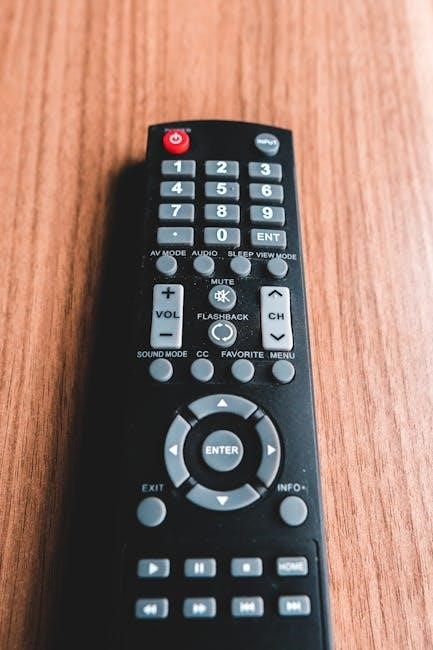
Initial setup of your Pioneer DivX player involves connecting it to a display via HDMI or composite video cables, ensuring optimal video quality. Power on the unit and navigate to the settings menu using the remote control. Within the settings, locate the “DivX” or “Video” section to confirm DivX playback is enabled.
Refer to your specific model’s operation manual (like the AVH-A210BT) for detailed instructions on accessing these settings. Ensure the player recognizes connected USB drives or discs containing DivX files. Proper setup is crucial for seamless playback and accessing advanced customization options for a tailored viewing experience.
Connecting Devices for DivX Playback
For DivX playback, connecting devices to your Pioneer player is straightforward. USB Connection: Insert a USB drive containing DivX files (.avi, .divx) into the designated USB port. The player should automatically detect the drive and display the files in the media selection menu. Ensure the USB drive is formatted with a compatible file system (FAT32 is generally recommended).
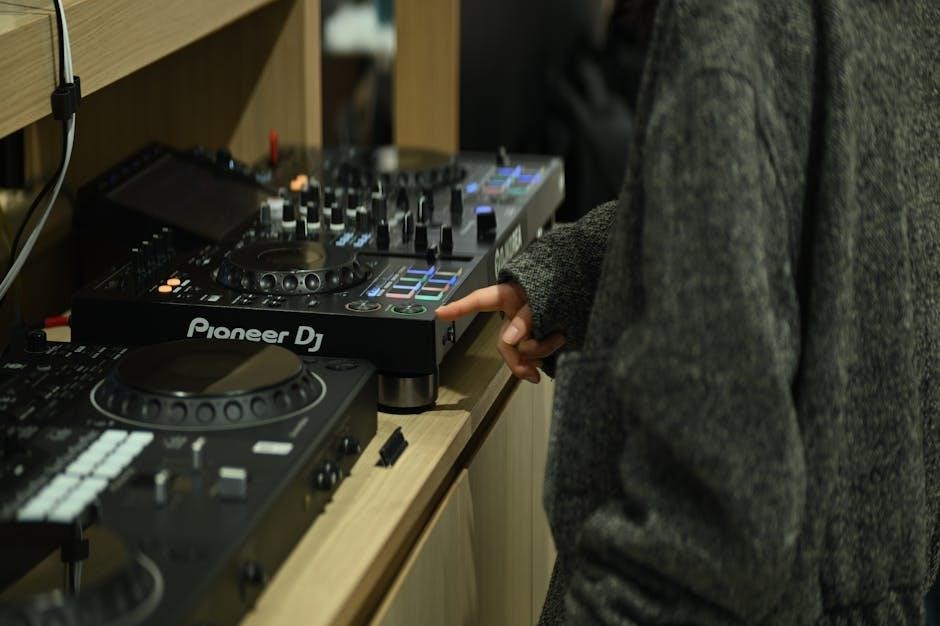
DVD Playback: Pioneer DivX-certified DVD players can play DivX encoded discs. However, remember that standard store-bought DVDs utilize MPEG encoding, not DivX. Creating a DivX encoded DVD requires specific software and burning procedures. Always verify compatibility before attempting to play a custom DivX DVD.
USB Connection for DivX Files
Utilizing USB for DivX playback is a convenient method. Simply insert your USB storage device into the Pioneer unit’s USB port. The system will typically recognize the device automatically, presenting a menu allowing you to browse and select DivX files. Supported file extensions include .avi and .divx.
Important considerations: Ensure your USB drive is formatted with the FAT32 file system for optimal compatibility. Some players may have limitations regarding USB drive capacity. Avoid using excessively large drives. The Pioneer AVH series generally supports DivX playback via USB, but always check your specific model’s documentation for confirmed compatibility details.
DVD Playback of DivX Encoded Discs
Pioneer DivX Certified DVD players offer the capability to play DVDs containing DivX encoded video. However, compatibility isn’t universal. These players are designed to handle DivX content specifically encoded for DVD playback, differing from standard DivX files intended for USB or direct digital playback.
Crucially, remember that commercially produced DVDs are typically encoded in MPEG format, not DivX. To play DivX content on a DVD, you must create a custom DVD using DivX authoring software. Ensure the DivX version used for encoding is supported by your Pioneer player. Refer to your player’s manual for specific DivX version compatibility details.
Troubleshooting DivX Playback Issues
Encountering problems with DivX playback? Several common issues can arise. No video display often stems from unsupported codecs, corrupted files, or incorrect file formatting. Verify the DivX codec is compatible with your Pioneer unit and the file isn’t damaged. Audio problems might indicate an audio codec mismatch or low file bitrate; try re-encoding the file with compatible audio settings.
“Unsupported DivX Codec” errors signal an incompatibility between the file’s encoding and the player’s capabilities. Firmware updates can sometimes resolve codec support issues. If problems persist, test with a different DivX file to isolate whether the issue lies with the player or the specific file.
No Video Displayed: Common Causes
A blank screen during DivX playback is a frequent concern. Incompatible codecs are a primary culprit; Pioneer players support specific DivX versions, and files encoded with others may not display. Corrupted DivX files can also cause this issue – try playing the file on a computer to verify its integrity.
Incorrect file formatting, particularly with unsupported resolutions or aspect ratios, can prevent video output. Ensure the file extension is correctly identified as .avi or .divx. Check the USB drive’s formatting; some players have limitations. Finally, a firmware update might address codec or compatibility issues, so ensure your Pioneer unit is running the latest version.
Audio Problems During DivX Playback
Experiencing audio issues with DivX files is common. Incompatible audio codecs within the DivX file are a frequent cause; Pioneer players may not support all audio formats embedded in the video. Low volume levels can stem from the file’s encoding – adjust the player’s volume and check the DivX file’s audio settings on a computer.
Incorrect audio output settings on the Pioneer unit can also be the problem; verify the correct audio output is selected (e.g., stereo, surround). Damaged or improperly connected cables can lead to no sound or distorted audio. Finally, ensure the DivX file isn’t simply missing an audio track – test with another DivX file.
Unsupported DivX Codec Errors
Encountering “Unsupported Codec” errors indicates your Pioneer player cannot decode the specific DivX encoding used in the file. Older Pioneer units may lack support for newer DivX versions or advanced codecs. DivX Ultra and HD formats are explicitly listed as incompatible with many models, requiring conversion to a supported format.

Files lacking video data, despite having a .avi or .divx extension, will also trigger errors. Confirm the DivX codec used during file creation is compatible with your player’s specifications. Updating the Pioneer’s firmware (see section on firmware updates) can sometimes add support for newer codecs, but isn’t guaranteed. Consider re-encoding the file using a compatible codec.
Pioneer AVH Series & DivX Support
Pioneer’s AVH series head units demonstrate varying levels of DivX support. The AVH-A210BT, as detailed in its operation manual, offers DivX playback functionality, though specific codec compatibility should be verified. AVH-P4490BT models support .avi and .divx file extensions, but explicitly exclude DivX Ultra and HD formats.
AVH-2550NEX/2500NEX units also provide DivX playback capabilities, though detailed specifications regarding supported codecs aren’t readily available and may require testing. Compatibility can depend on firmware versions; updating is recommended. Users should consult their specific model’s manual for detailed information and limitations regarding DivX playback.
AVH-A210BT: Key Features & DivX Playback
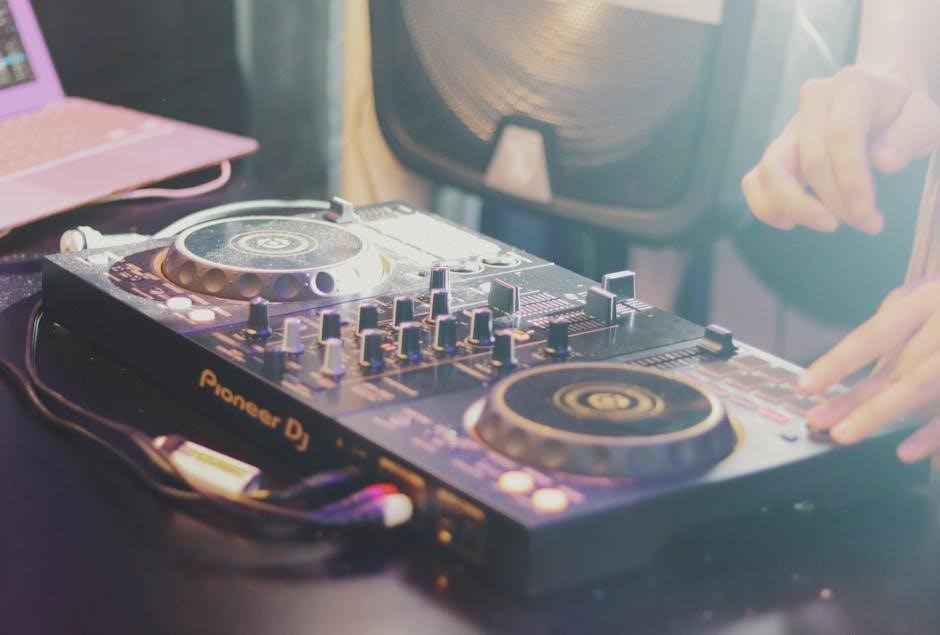
The Pioneer AVH-A210BT is a versatile stereo receiver offering Bluetooth connectivity, smartphone integration, and AV source playback; Its operation manual, available on ManualsLib, confirms DivX playback support as a key feature. Users can access DivX encoded video files via USB or potentially DVD, depending on disc encoding.
However, specific codec details aren’t extensively outlined; testing with various DivX files is recommended to confirm compatibility. The unit supports standard DivX formats, but limitations regarding DivX Ultra or HD are not explicitly mentioned in readily available documentation. Ensure proper file formatting for optimal playback quality and a smooth user experience.
AVH-P4490BT: DivX Compatibility Details
The Pioneer AVH-P4490BT demonstrates specific DivX compatibility, as detailed in its owner’s manual on ManualsLib. It supports the DivX video format, recognizing files with the extensions .avi or .divx. However, it’s crucial to note that DivX Ultra format is explicitly listed as not compatible with this model. Similarly, DivX HD format also lacks support, limiting playback to standard DivX encoded videos.
Furthermore, the unit won’t play DivX files lacking video data. Successful playback relies on correctly encoded files adhering to DivX standards. Users should verify their files meet these criteria to avoid playback errors and ensure a seamless viewing experience. Testing various files is recommended to confirm compatibility.
AVH-2550NEX/2500NEX: DivX Playback Capabilities

Pioneer’s AVH-2550NEX and AVH-2500NEX models, as referenced in product literature, are DVD RDS AV receivers. While primarily designed for standard DVD playback (including MPEG encoded discs), information regarding explicit DivX playback capabilities is limited in readily available documentation. A Reddit discussion highlights a user’s experience discovering video playback via USB isn’t automatically enabled.
The user found that while store-bought DVDs play without issue (due to MPEG encoding), DivX files may require specific settings or aren’t natively supported. It’s suggested to test playback from a disc to determine if the issue lies with the file format or USB compatibility. Further investigation into firmware updates or specific AVH settings may be necessary to unlock DivX playback functionality.
DivX vs. Other Video Formats (MPEG)
DivX and MPEG represent distinct video compression standards, impacting compatibility with Pioneer players. MPEG (Moving Picture Experts Group) is the standard encoding for commercial DVDs, ensuring broad playback support across most DVD players, as noted in a Reddit discussion regarding Pioneer AVH units. DivX, conversely, is a codec designed for compressing video files, often resulting in smaller file sizes.
Pioneer’s DivX Certified DVD players, as highlighted in a 2019 press release, specifically support the DivX video format. However, compatibility varies; the AVH-P4490BT manual explicitly states DivX Ultra and HD formats are not supported, only .avi or .divx extensions. This distinction is crucial, as attempting to play unsupported formats will likely result in playback errors.
Creating DivX Files for Pioneer Players
To ensure compatibility with your Pioneer DivX player, specifically models like the AVH-P4490BT, adhere to supported file specifications. The manual clearly indicates that only DivX video files with the extensions .avi or ;divx are compatible. Avoid using DivX Ultra or DivX HD formats, as these are unsupported.
Utilize DivX conversion software to encode your video content. When encoding, prioritize settings that align with the player’s capabilities. Lower resolutions and bitrates can improve playback smoothness, especially when using USB connections. Remember, files lacking video data will also not play. Proper encoding guarantees a seamless viewing experience on your Pioneer system, maximizing the benefits of DivX technology.
Updating Pioneer Firmware for DivX Support
Maintaining up-to-date firmware is crucial for optimal DivX playback on your Pioneer receiver, such as the AVH-2550NEX or AVH-2500NEX. Pioneer regularly releases firmware updates that enhance compatibility, fix bugs, and improve overall system performance. These updates often include improvements specifically related to DivX codec support.
Visit the official Pioneer website to download the latest firmware version for your specific model. Follow the provided instructions carefully during the update process, as incorrect installation can potentially damage your unit. Regularly checking for updates ensures your Pioneer system remains fully functional and capable of playing the widest range of DivX encoded files, providing a consistently enjoyable experience.
Advanced DivX Settings & Customization
Pioneer DivX players offer limited customization options, primarily focused on playback preferences. While extensive codec adjustments aren’t typically available, users can often adjust video output settings like brightness, contrast, and sharpness to optimize the viewing experience for DivX content. Some models may include basic audio equalization settings to fine-tune sound during playback.
Explore the setup menu for options related to aspect ratio and video resolution. Understanding these settings allows you to tailor the display to your preferences and the characteristics of your DivX files. Remember that compatibility limitations, such as those with DivX Ultra or HD formats, restrict the extent of customization possible.
Smartphone Connection for AV Sources & DivX
Modern Pioneer AVH series receivers, like the AVH-A210BT, frequently support smartphone integration for audio and video sources, potentially including DivX files; This typically involves utilizing a USB connection or Bluetooth streaming, depending on the model and smartphone capabilities. Check your receiver’s manual for specific compatibility details and connection instructions.
However, direct DivX playback from smartphones isn’t always guaranteed. Some units may only support playback from USB drives formatted in specific ways. Ensure your smartphone supports USB mass storage mode if attempting a direct connection. Alternatively, explore mirroring apps or DLNA functionality to stream DivX content from your phone to the Pioneer receiver.
Safety Precautions When Using DivX Players
When enjoying DivX playback on your Pioneer system, prioritize safety. Avoid operating the player in excessively humid or dusty environments, as this can lead to malfunctions and potential hazards. Ensure adequate ventilation around the unit to prevent overheating during extended use.
Always disconnect the power before cleaning the player, and use a soft, dry cloth. Never insert foreign objects into the disc slot or USB ports. Be mindful of the power cord to prevent tripping hazards. Do not attempt to disassemble or repair the unit yourself; refer servicing to qualified personnel. Protect the player from direct sunlight and extreme temperatures.
Resources & Further Support
For comprehensive assistance with your Pioneer DivX player, several resources are readily available. Pioneer’s official website (https://www.pioneer-usa.com/) offers downloadable manuals, FAQs, and troubleshooting guides. ManualsLib (https://www.manualslib.com/) hosts a vast archive of Pioneer user manuals, including specific AVH series models.
The r/CarAV subreddit (https://www.reddit.com/r/CarAV/) provides a community forum where users share experiences and solutions. DivX’s official support website (https://www.divx.com/) offers information on DivX codecs and compatibility. For direct assistance, contact Pioneer customer support via phone or email, details found on their website.
Frequently Asked Questions (DivX & Pioneer)
Q: Why won’t my Pioneer player read DivX files? A: Ensure the file extension is .avi or .divx and the codec is compatible. Older models may not support DivX Ultra or HD.
Q: Can I play DivX files directly from a USB drive? A: Yes, most Pioneer DivX-certified players support USB playback. Format the drive as FAT32 for optimal compatibility.
Q: My Pioneer player displays an unsupported codec error. What should I do? A: Update your player’s firmware. If the issue persists, the DivX version may be incompatible.
Q: Are DVDs encoded in DivX? A: No, DVDs typically use MPEG encoding, unlike DivX files.
Q: Where can I find the latest firmware? A: Visit Pioneer’s official website and navigate to the support section for your specific model.